Reviewer Access URL
Use the reviewer access URL to share a completed controlled-access or managed-access study with journal reviewers before public release.
When to Generate the Link
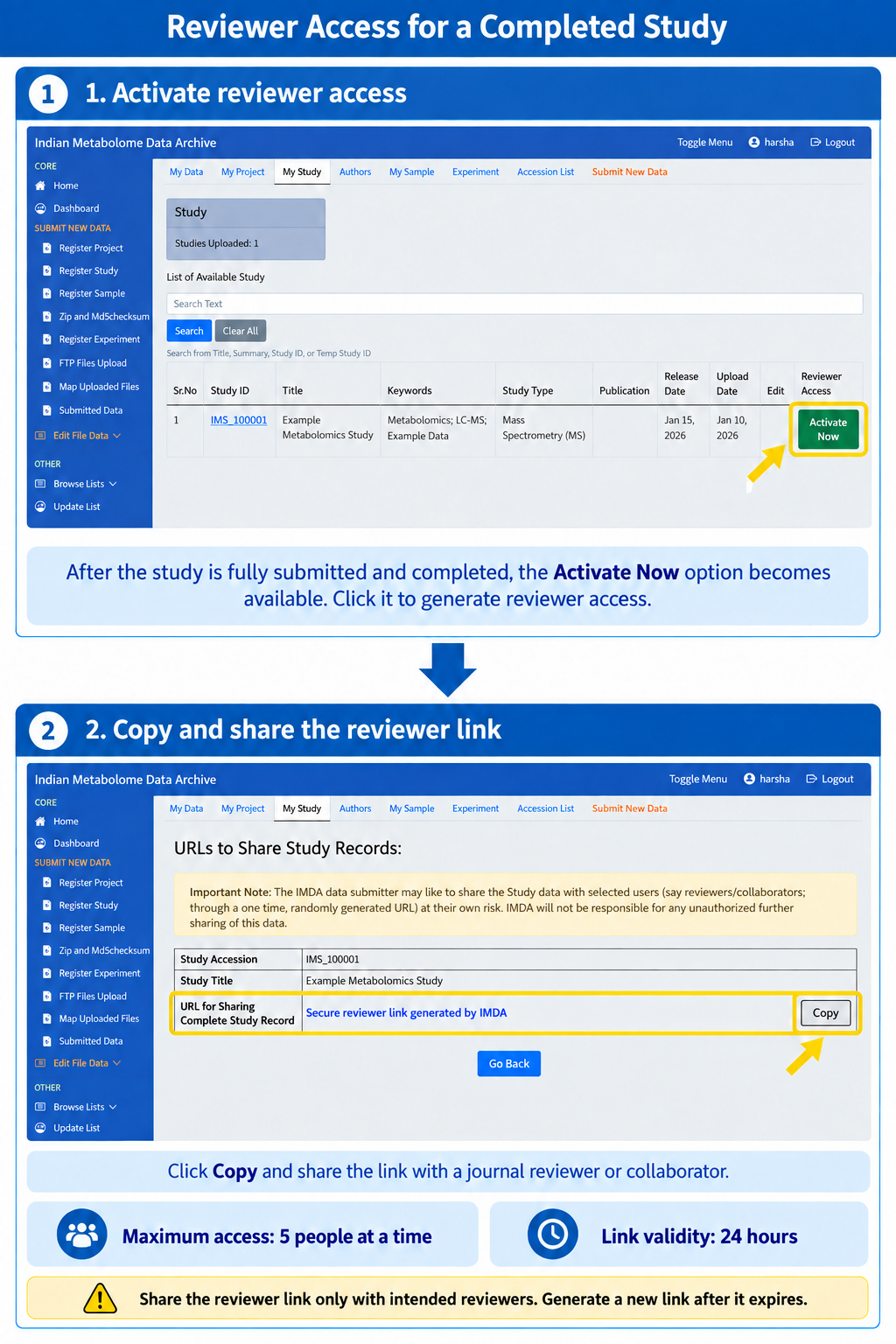
For a controlled-access or managed-access study, generate the reviewer link only after the study is fully submitted and the uploaded files are validated. The Activate Now option appears in the Reviewer Access column for a completed study.
Generate and Share the Link
- Open Submitted Data or the completed study list.
- Find the required study row.
- Click Activate Now under Reviewer Access.
- On the URLs to Share Study Records page, click Copy.
- Share the copied link only with the intended journal reviewer, editor, or collaborator.
Common Mistakes
Confirm the correct study before sharing the reviewer link. Do not share the link publicly or with unintended users.
Access Limit
- Maximum access: 5 people at a time.
- Link validity: 24 hours.
- Generate a new link if the previous link expires.