Login / Register
Register and log in before starting a data submission.
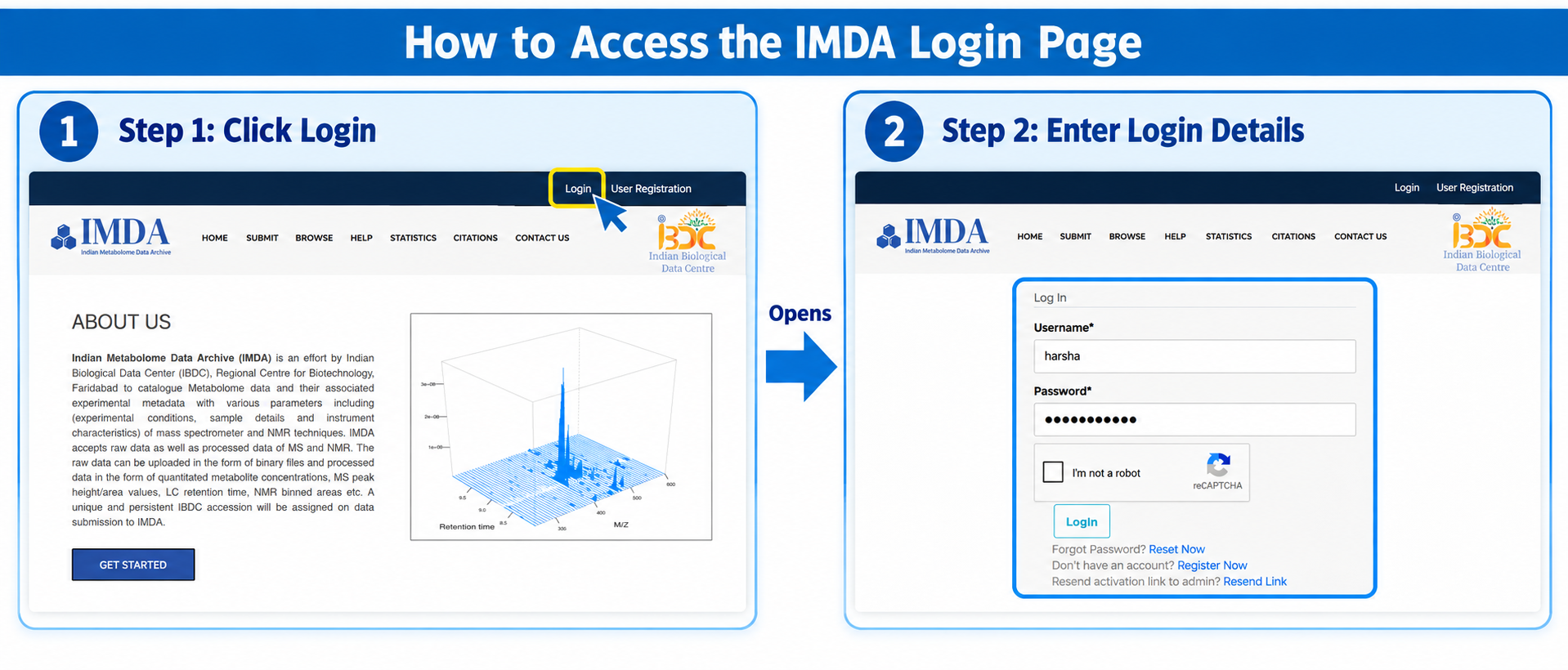
Where to Login or Register
Open the IMDA portal and use the top-right links to access Login or User Registration. To log in, click Login, enter the registered username and password, complete the reCAPTCHA, and click Login.
| Option | User Action | Purpose |
|---|---|---|
| User Registration | Open User Registration. | Creates the account required for data submission. |
| Login | Open Login. | Starts an authenticated session for submission and dashboard access. |
| Submit | Open Submit Data after login. | Opens the new data submission workflow. |
User Registration Form
Fill all mandatory fields marked with an asterisk. Use an active email address because account activation and IMDA communication will go to this email. Scroll inside the image box to view the full form.
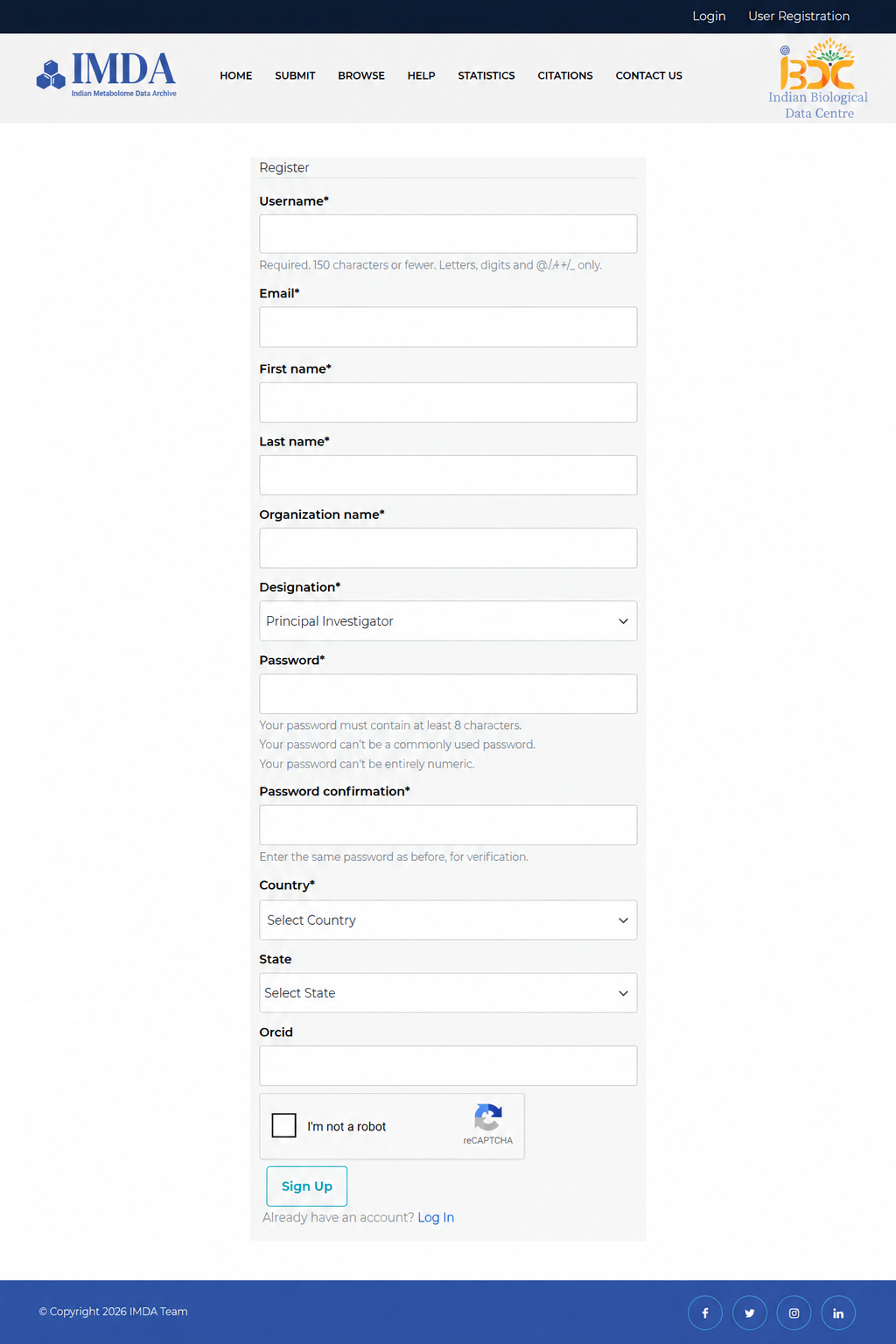
After registration, check the registered email for the account activation link. If login fails because the account is not active, use Resend activation link to admin on the login page.
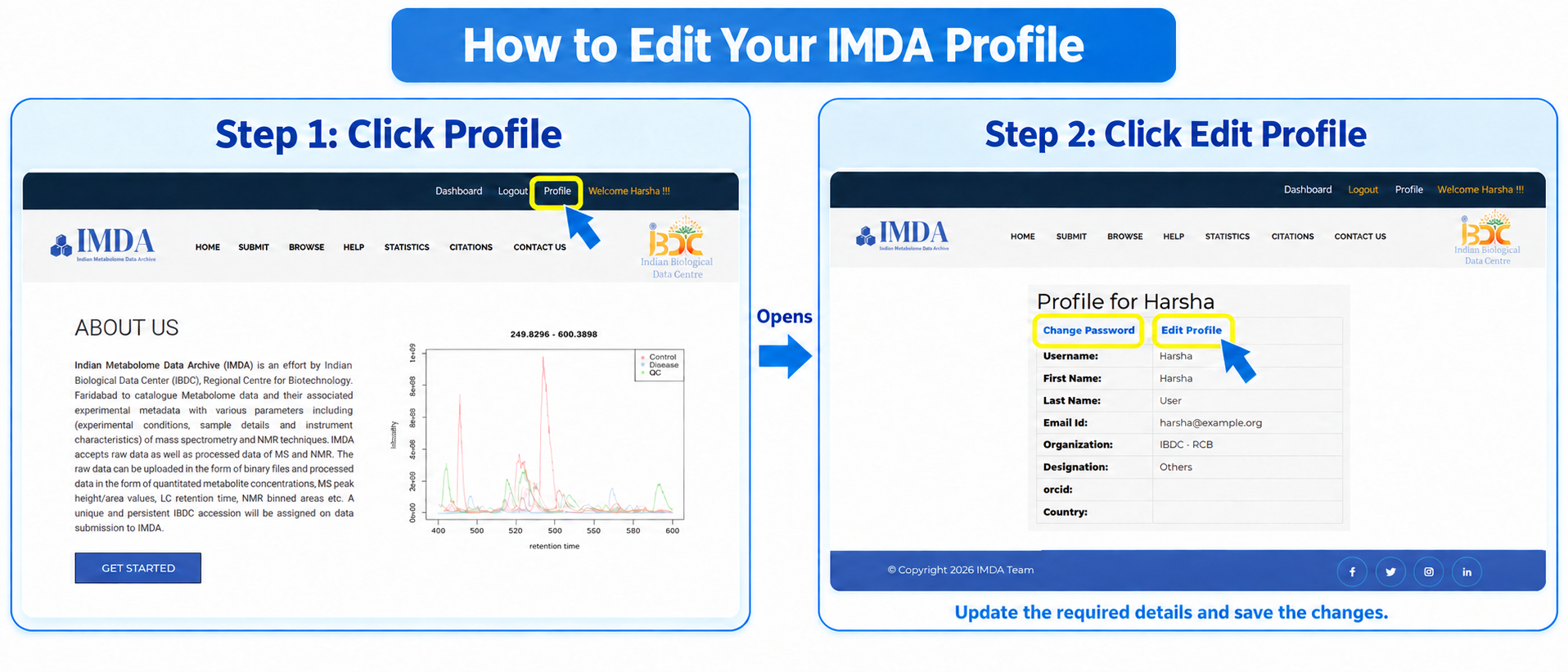
Edit Profile
After login, users can open Profile from the top menu. Click Edit Profile to update details such as name, email, organization, designation, ORCID, and country when corrections are needed.
Before Starting Submission
Make sure the user profile has the correct full name, email address, organization name, designation, and country. These details help IMDA identify the submitter and contact the right person if clarification is needed.
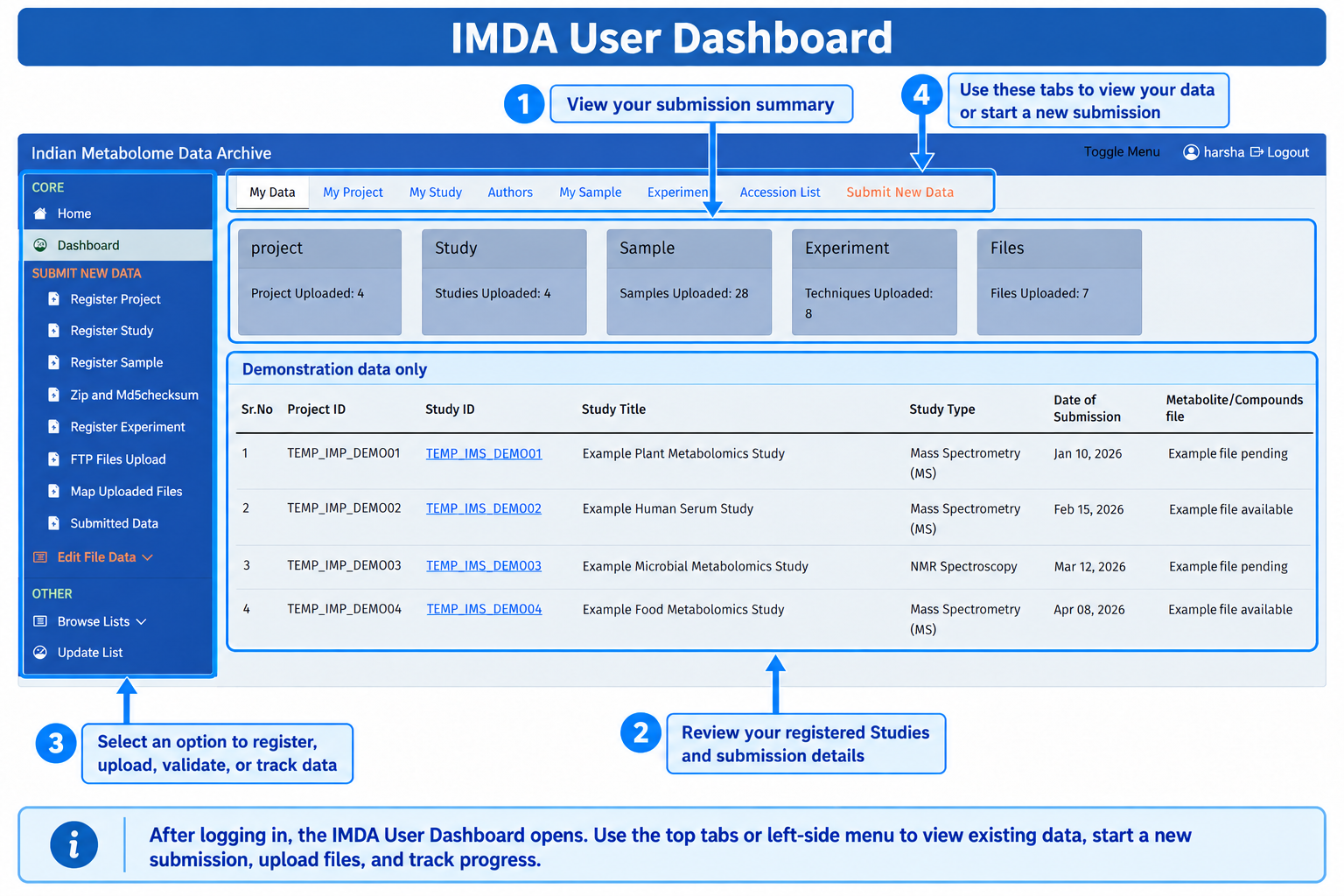
After Login: User Dashboard
After login, the dashboard is the main page where users can check their submitted data and continue the submission workflow.